01
Lead with your strongest benefit
Turn the screens that matter most into an immediate, easy-to-understand reason to download.
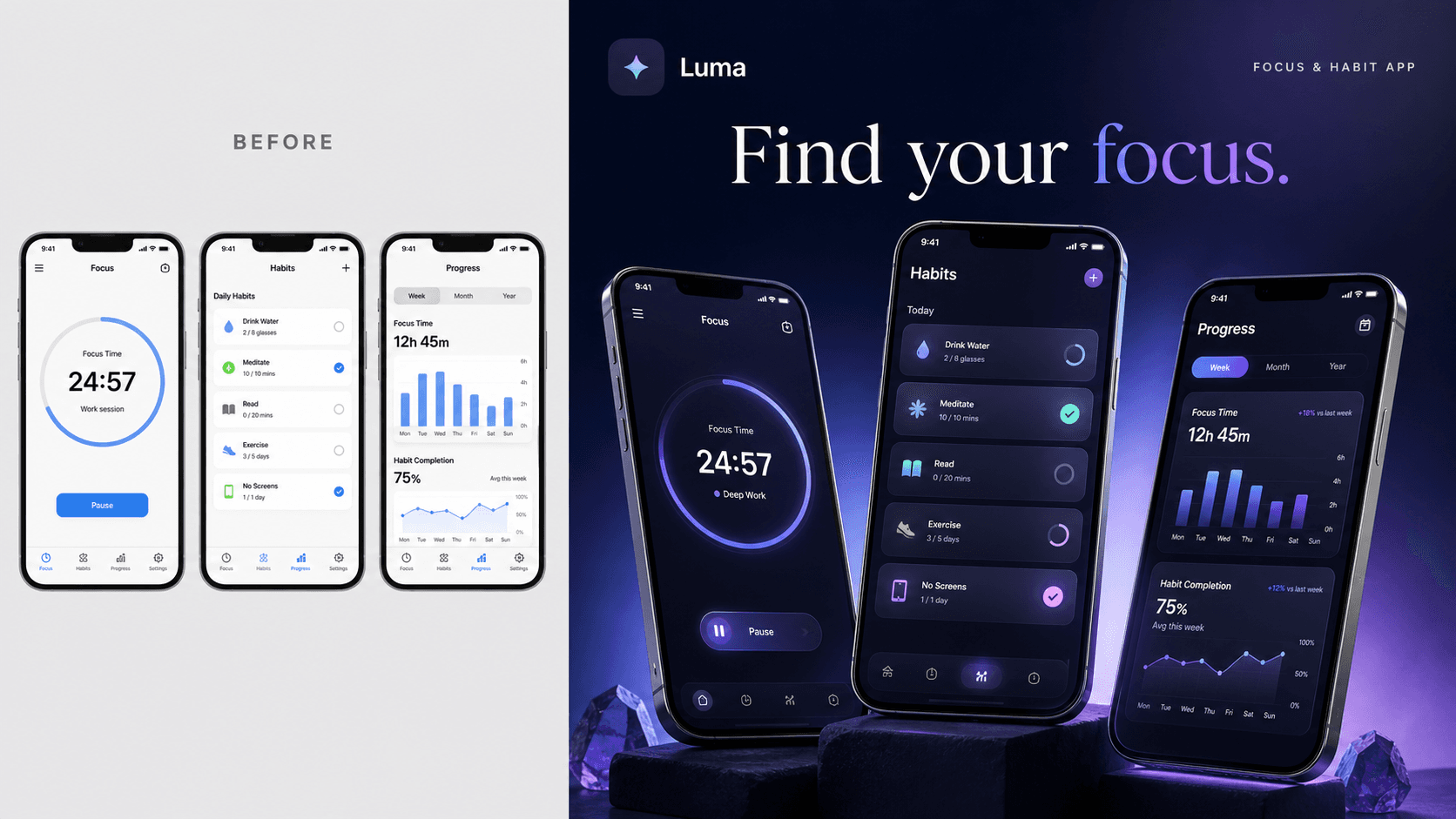
More apps, made irresistible
Swipe to compare

NOVA storefront
App Store pageReady to win

LUMA launch
App Store ConnectReady to publish

FEAST campaign
Product pageBuilt to convert

Finance
Raw UIBuilt to convert

Sleep & wellness
Raw UIBuilt to convert

Meal planning
Raw UIBuilt to convert
Built to perform
Every creative choice helps shoppers understand your app faster, trust it sooner, and feel ready to tap Get.
Turn the screens that matter most into an immediate, easy-to-understand reason to download.
Benefit-led headlines and a deliberate screen order make your app's value effortless to grasp.
Refine the message and visual direction until the complete set feels unmistakably on-brand.
Download crisp, organized PNGs in current iPhone sizes, ready to upload to App Store Connect.
Premium compositions, benefit-led messaging, and a clear visual story help your app stand out before a visitor ever taps Get.
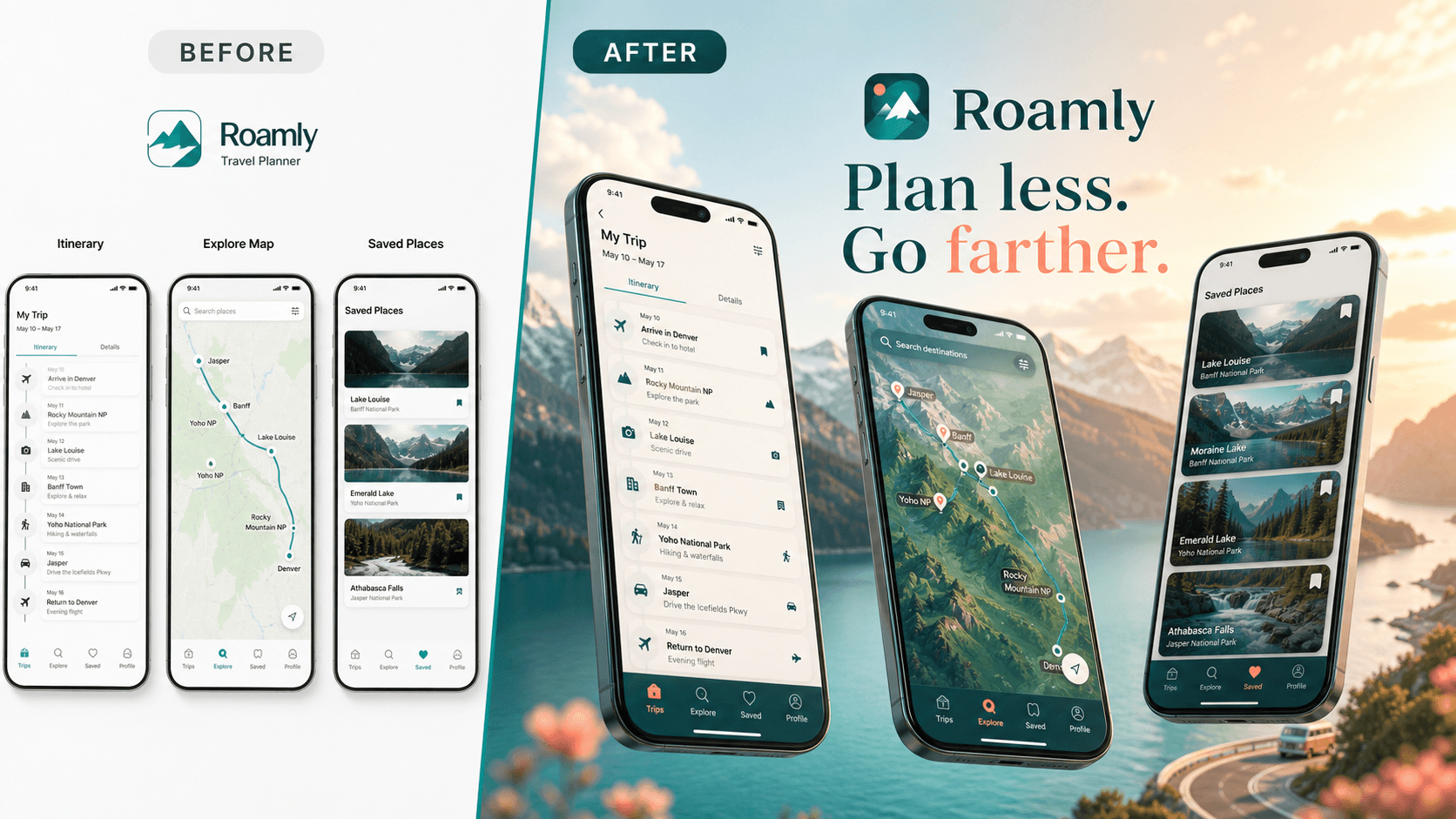
Makes trip planning feel effortless, aspirational, and worth downloading.
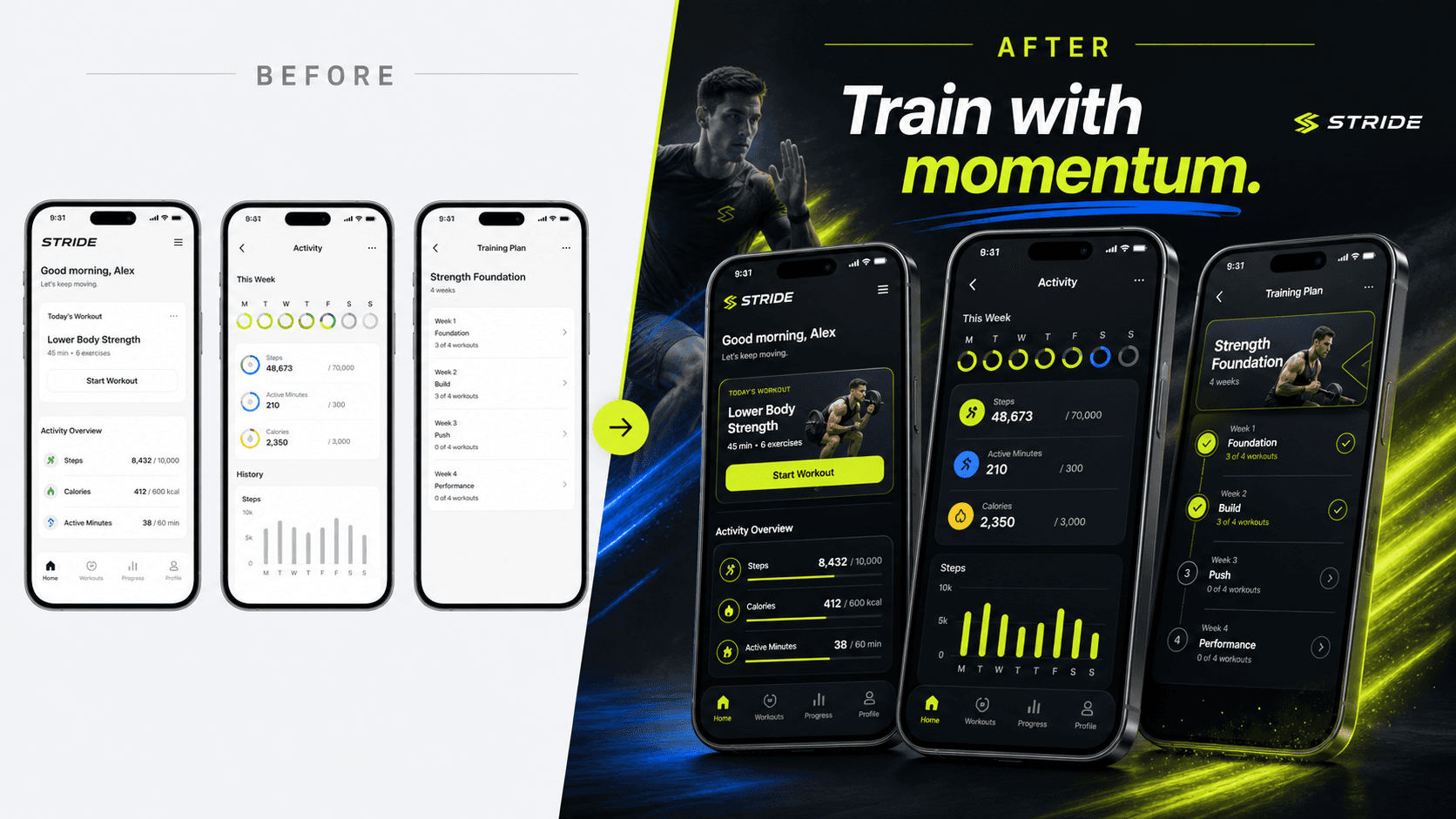
Turns routine workout data into an energetic reason to start training.
Illustrative concept apps. Your finished creative is built around your product, brand, and real UI.
Designed for conversion
Launch with the clarity, polish, and ready-to-publish assets your app needs to make a stronger first impression.
AppShot finds the strongest benefit in your UI and turns every screen into one clear reason to download.
High-fidelity compositions keep your real interface recognizable while making the entire listing feel polished and credible.
Publish with a 6.9-inch master at 1320×2868 and a 6.5-inch fallback at 1284×2778.
Shape the story, sharpen every headline, and choose a visual direction that fits the way you want your app to feel.
Localize the message and keep every language organized so your strongest value proposition travels well.
Keep your creative together across sessions and download clean PNG packs that are easy to review, share, and publish.
Launch with confidence
Yes. Screenshots are a major part of the App Store product page, and Apple lets developers test them to learn which versions drive stronger conversion. AppShot helps you communicate the clearest value faster, so more visitors understand why your app is worth downloading.
Make every impression count
Turn your existing iPhone screens into premium, App Store-ready creative built to win attention and more downloads.
Create screenshots that convertApple-ready exports · Your real UI stays recognizable